Registering a New Metric
A list of metrics from the standard package is available on this page.
Preparing the Metric File
Predicate supports working with metrics written in Python.
Metrics or tests are uploaded to the system from a file with the .py extension.
The basic version of the application uses the following versions of the language and packages:
Expand the list of packages
Python version 3.11
pandas version 2.2.0
numpy version 1.26.4
plotly version 5.20.0
matplotlib version no lower than 3.9.2
scikit-learn version no lower than 1.2.0
statsmodels version no lower than 0.13.5
river version no lower than 0.16.0
Using other versions of the language and packages and adding new packages is possible but requires additional configuration of the application. Please contact the system administrators for the necessary work.
For more details on writing metric code, see the page "Rules for Writing Metrics".
Registering a Metric
To upload a new metric, navigate to Control Panel > Catalog > Metrics in the main menu of the application, and on the opened metrics and tests catalog page, click the "Add" button. Adding a metric is also available via Control Panel > Create > Utilities > Metric.
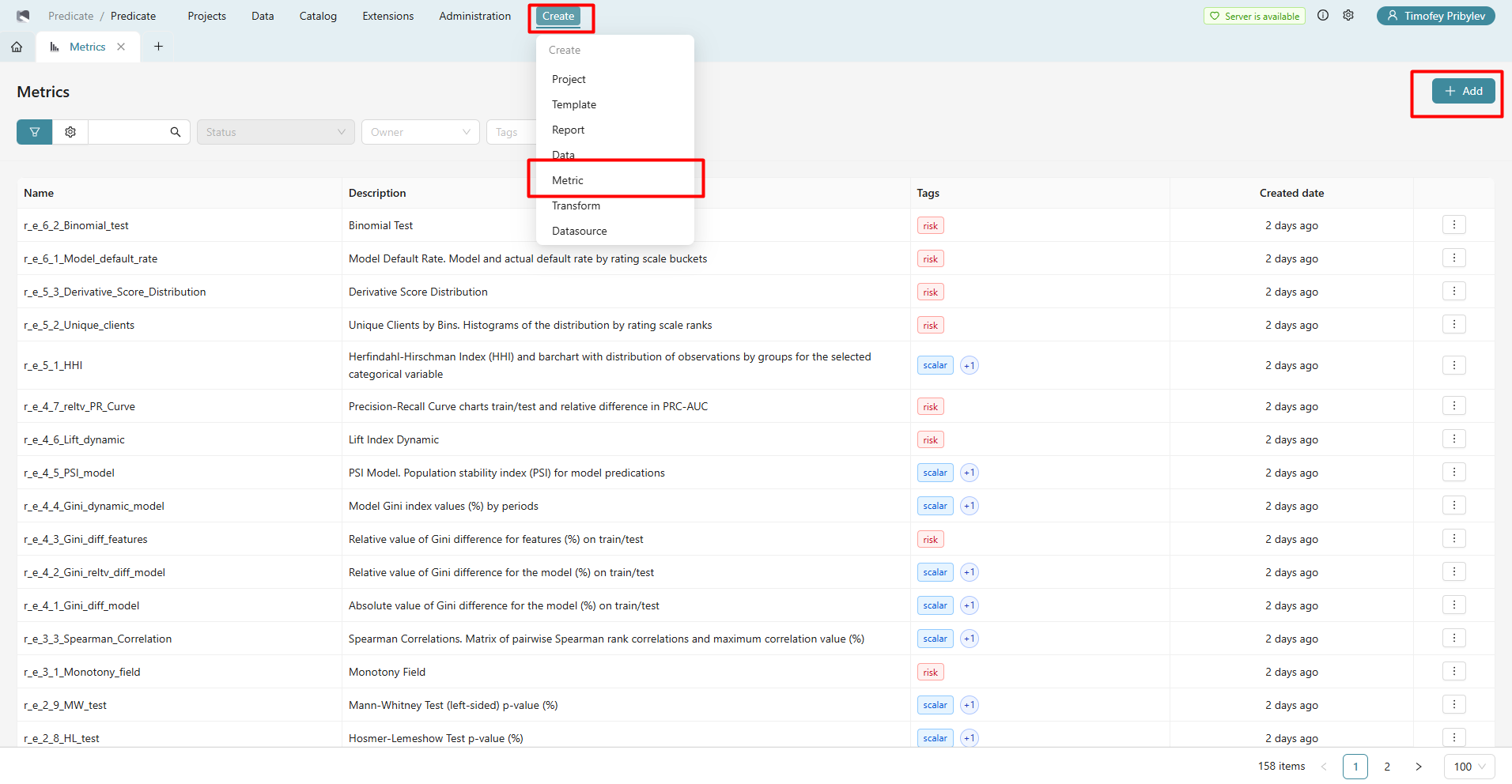
A form for uploading a new metric will open:
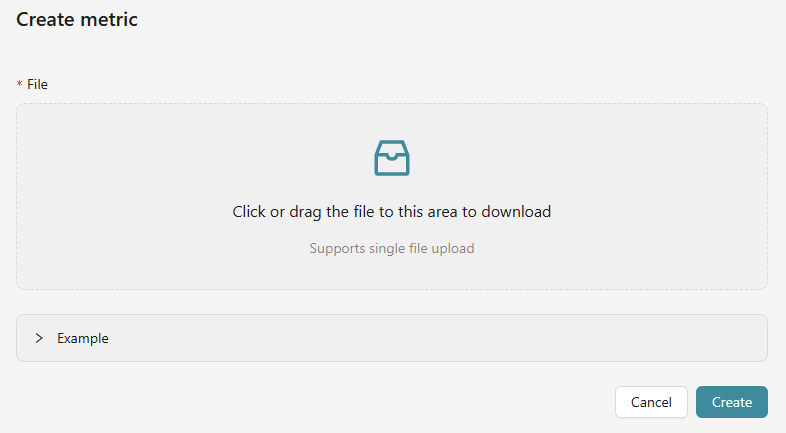
In the opened form, you need to upload the Python file with the metric code and click the "Create" button.
Once the metric is created, the corresponding entry will appear in the list of tests registered in the system (Catalog > Metrics), and the metric will become available for use in monitoring projects.